
Sound
ReplayGain, the equalizer, crossfade and the output rate. The service applies them, so they work with the player closed.
They're all in Settings: Crossfade under Playback, the rest under Sound.
ReplayGain
Plays every song (or every album) at the same loudness, using the ReplayGain tags in your files (also Opus R128 gains). Settings → ReplayGain:
- Auto: per album when playing in order, per song on shuffle.
- Per song or Per album.
- Off.
It never pushes a song past its peak, so nothing clips. Songs without ReplayGain tags (and remote songs) play unchanged.
Computing ReplayGain
For songs without ReplayGain tags, Compute ReplayGain in the menu of a song, album or artist measures them (EBU R128, the ReplayGain 2.0 way) and writes the tags into the files: per song, and for the whole album when you do an album. It runs in the background (see Downloads); on a handheld it takes a few seconds per song. Songs that already have ReplayGain are skipped; Recompute ReplayGain measures them again. Works with MP3, FLAC, Ogg, Opus and M4A in your own library.
Equalizer
Settings → Equalizer asks which one to use: Graphic (10 bands) or Parametric (below). The graphic one has ten bands from 31 Hz to 16 kHz, each from −12 to +12 dB.
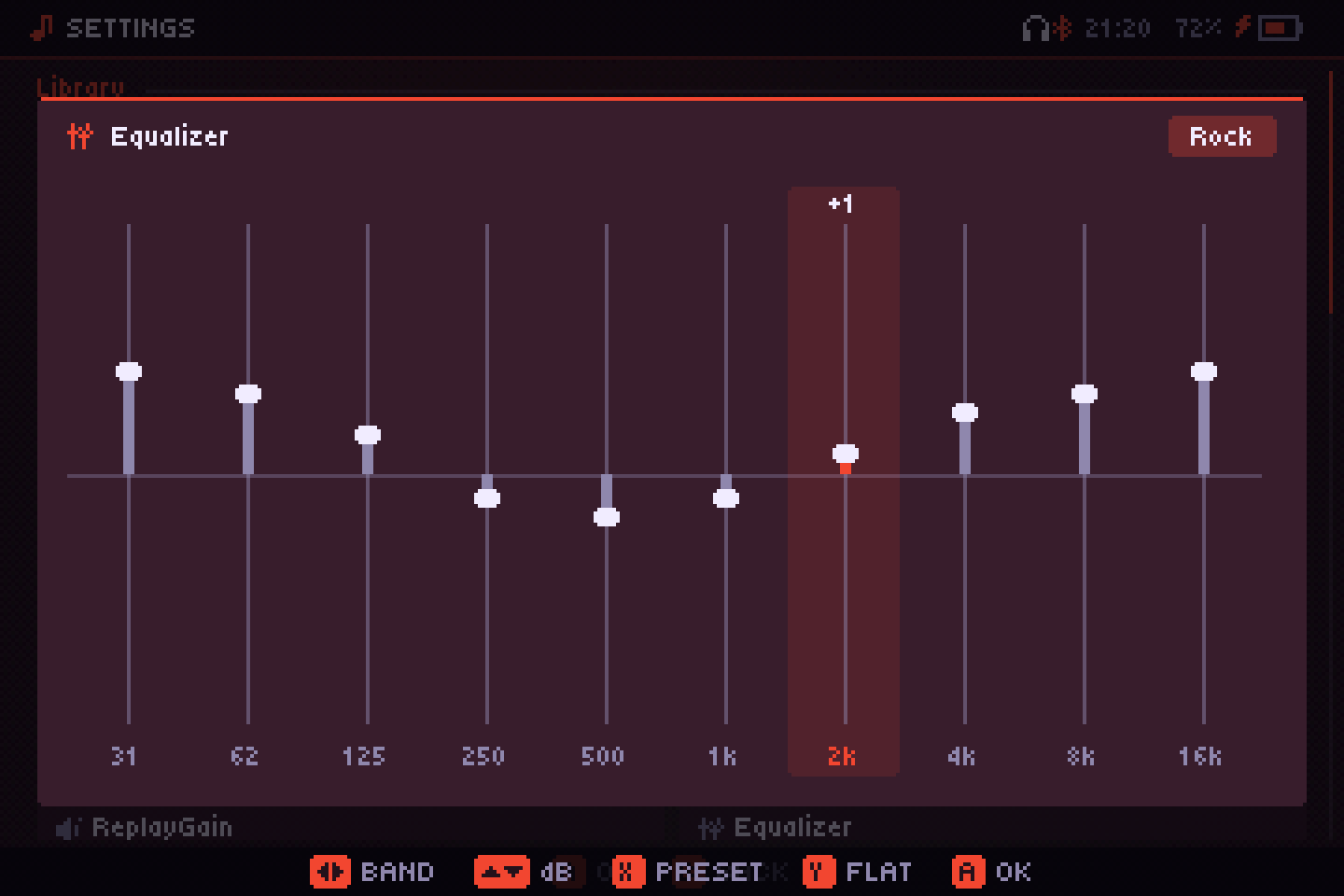
| Button | Does |
|---|---|
| ←/→ | Pick a band |
| ↑/↓ | Move it 1 dB |
| X, L1/R1 | Cycle the presets: Flat, Bass, Treble, Vocal, Rock, Metal, Pop, Electronic, Jazz, Classical, Loudness |
| Y | Back to Flat |
| A / B | Close (changes apply as you make them) |
Moving a band yourself turns the preset into Custom. On touch screens, tap a column to set its height. With the equalizer on, ten bands cost about 5 % of a handheld's CPU at its lowest clock; flat, they cost nothing.
Parametric equalizer
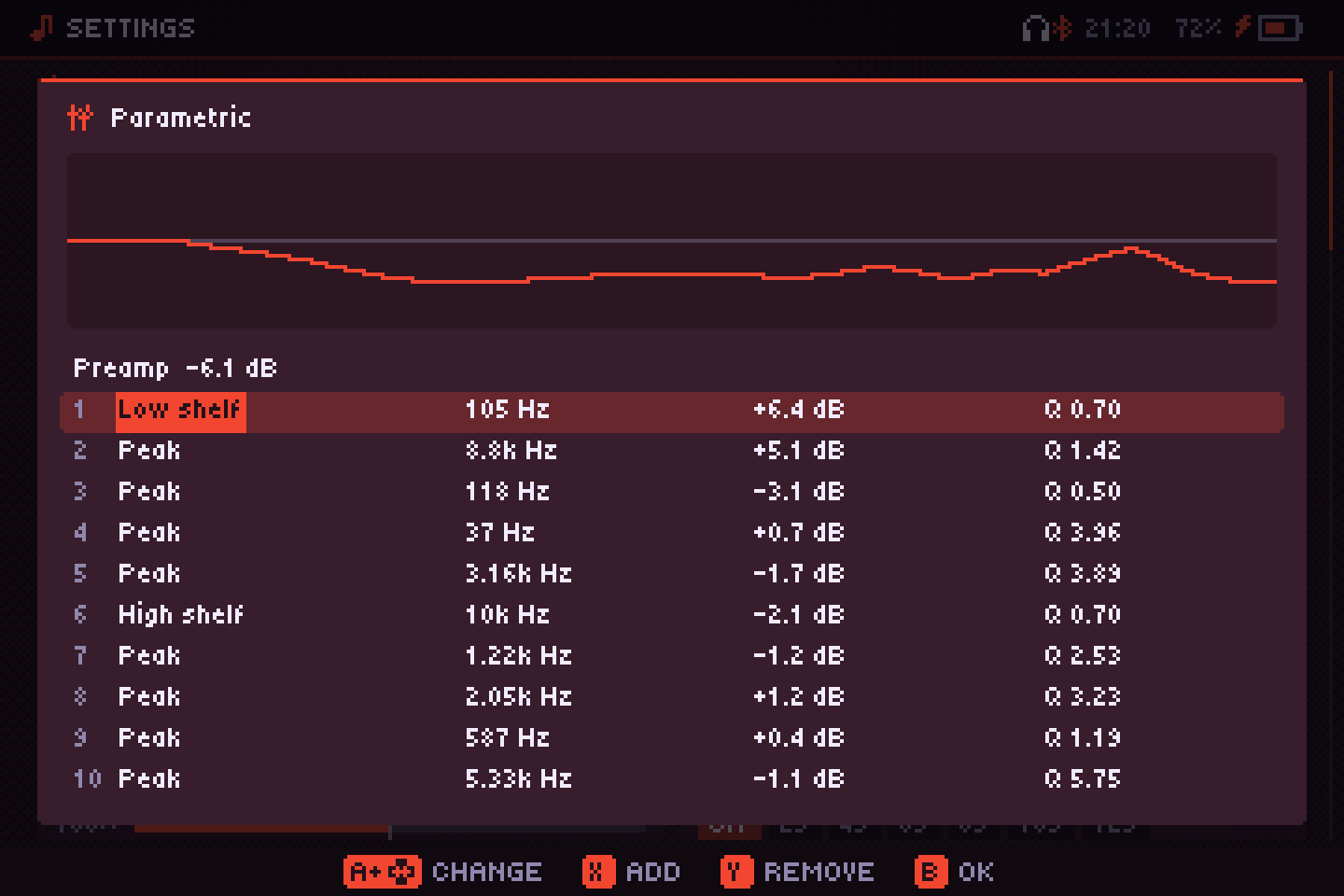
Up to ten bands you shape yourself, with a curve drawn above them. Each band has a type, Peak, Low shelf, High shelf, Low pass or High pass, a frequency (20 Hz to 20 kHz), a gain (±15 dB; pass filters don't use it) and a Q (0.3, wide, to 10, narrow). The first row is the Preamp, to make room for boosts.
| Button | Does |
|---|---|
| ↑/↓ | Pick a row (the preamp or a band) |
| ←/→ | Pick a field: type, frequency, gain, Q |
| A + ↑/↓ | Change it (L1/R1: bigger steps) |
| X / Y | Add a band / remove the chosen one |
| B / START | Close (changes apply as you make them) |
The limiter still guards against clipping. Switching back to the graphic one keeps your parametric bands for later.
AutoEQ
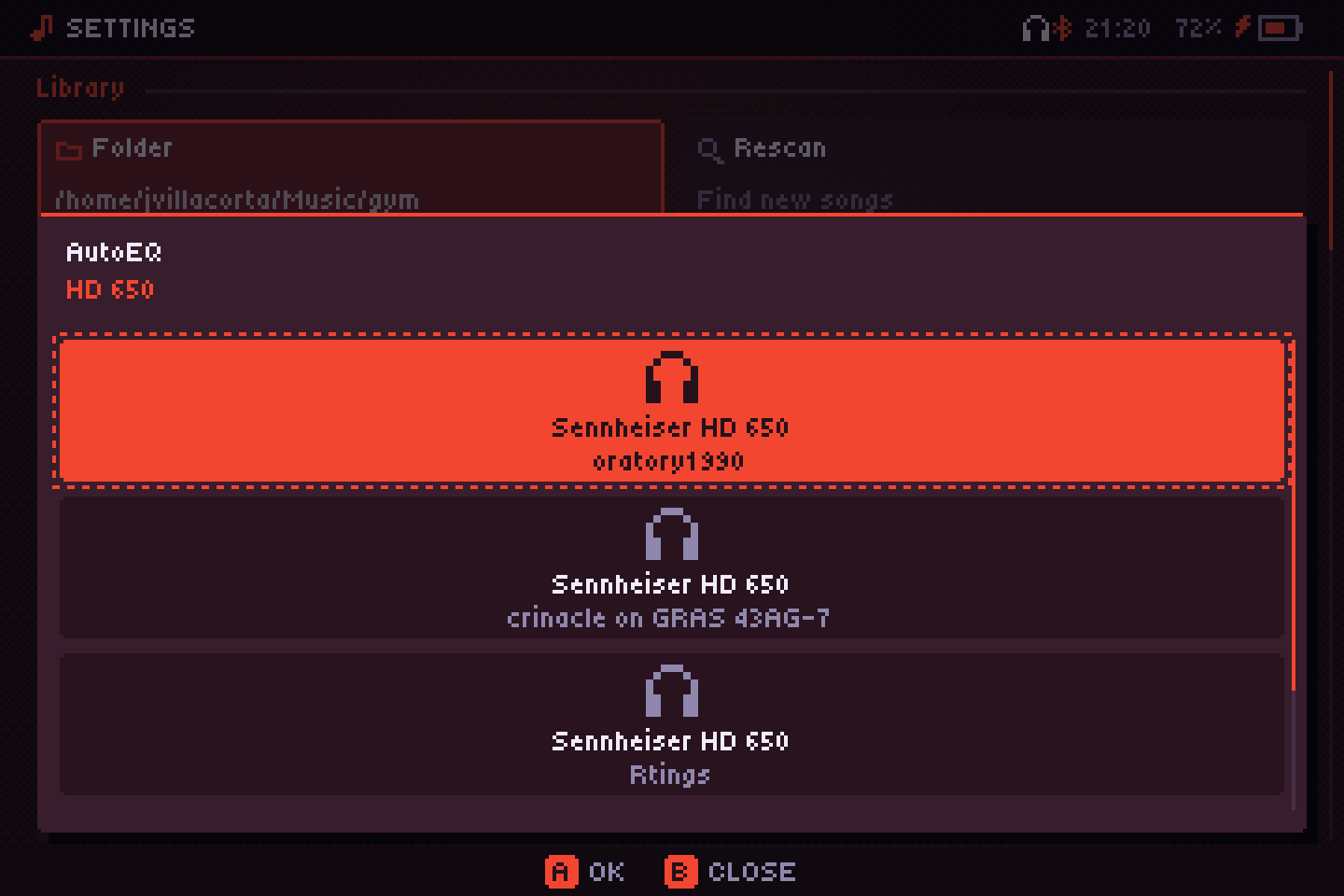
In the equalizer menu, AutoEQ → Search for your model looks up your headphones in AutoEq, a free database of thousands of models (the index is downloaded once and kept for a week). Each result shows who measured it. The one you pick goes into the parametric equalizer, now with up to ten bands, which opens so you can see or tweak it. Offline, put ParametricEQ.txt files (from AutoEq or Equalizer APO) in an eq folder next to the app and pick them from the same menu.
Crossfeed
Settings → Crossfeed sends a little of each channel to the other, filtered and slightly delayed, as when you listen to speakers. Records with instruments on one side only are easier on the ears with headphones. Light, Medium or Strong; off by default.
Resampling
Songs at a different rate from the output (44.1 kHz files on 48 kHz, for example) are converted as they play. Settings → Resampling:
- Battery: simple and very light, the best choice on a handheld.
- Quality: a high-quality filter, clean up to the top of the audible range, using about five times more CPU (still little on a computer).
- Auto (default): Quality on the desktop, Battery on handhelds.
It applies from the next song.
Crossfade
Settings → Crossfade: Off, or 2 to 12 seconds of overlap between songs. It doesn't fade between consecutive songs of the same album played in order, so albums stay gapless. It also skips very short songs and songs from servers that haven't downloaded yet.
Output rate
Settings → Output rate: 44.1, 48, 96 or 192 kHz. Changing it restarts the audio service, which picks up where it was. With the file at the same rate and nothing applied (volume at 100 %, no ReplayGain or equalizer), the samples go out untouched, although PipeWire or PulseAudio may still resample. Not available on iPhone.
Volume and boost
Volume runs from 0 to 200 %. Up to 100 % it's the system volume; above that, Audiofilus boosts the signal with a limiter so loud masters don't distort.
DSD
DSF and DFF files play, converted to PCM. DSD64 is light enough for a handheld; DSD256 may not keep up on one.
DSD can't go out "native" (DoP) to a DAC: that needs the samples to reach it bit for bit, and Audiofilus's output goes through the system mixer as PCM, like any app's. The conversion is done carefully, but it is a conversion.