
YouTube Music
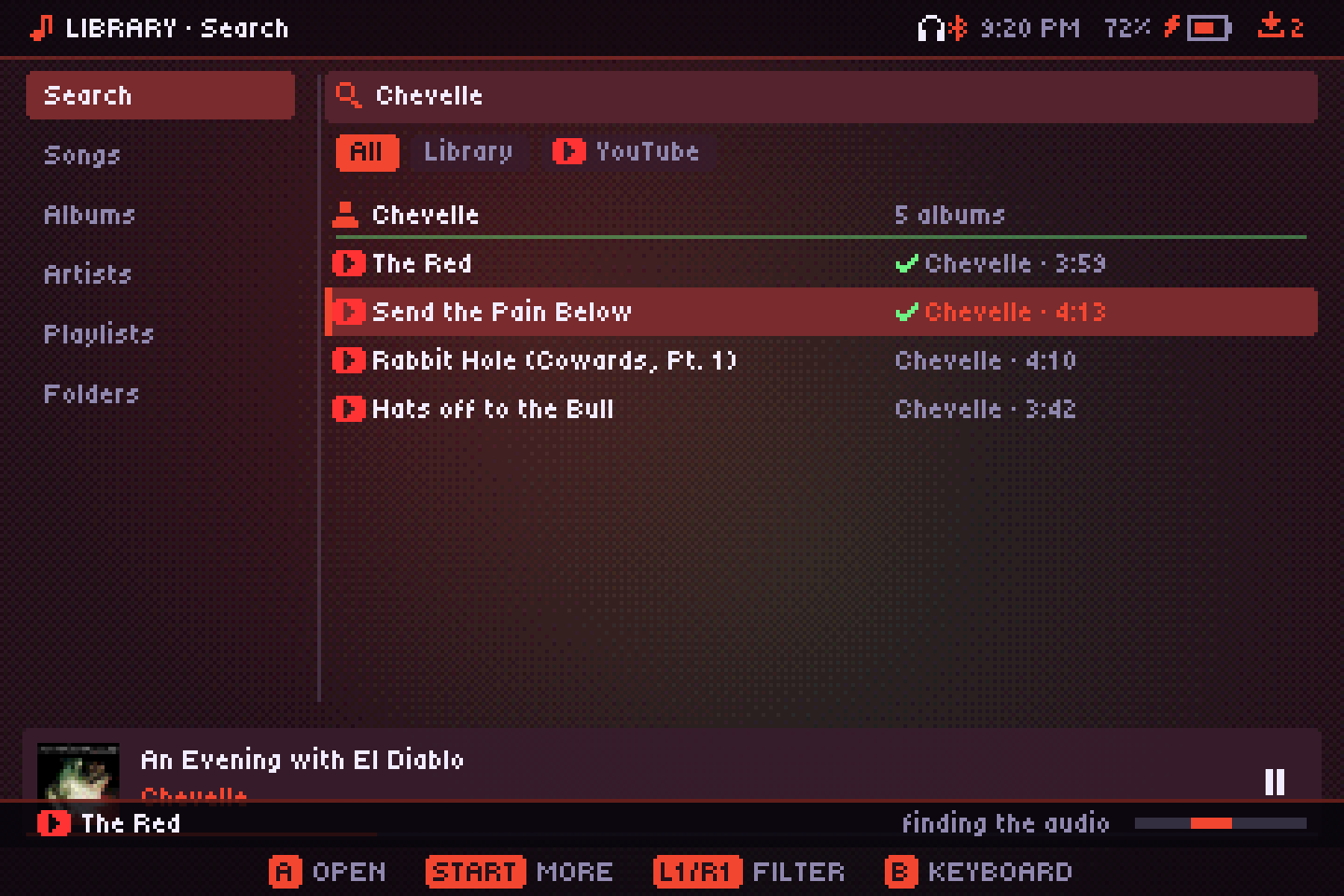
Search YouTube Music, listen without downloading, or save songs to your library. You bring your own yt-dlp.
Setting it up
YouTube Music appears only if there's a yt-dlp program next to Audiofilus. Audiofilus doesn't ship or download it.
- Handhelds: get the
yt-dlp_linux_aarch64build from the yt-dlp releases and put it in the app'syt-dlpfolder. - Windows:
yt-dlp.exein ayt-dlpfolder next toaudiofilus.exe, andffmpeg.exeon your PATH to convert downloads to MP3. - Linux: in the
yt-dlpfolder, or anywhere on your PATH. - Phones and tablets (iOS and Android): not available. They don't let apps run other programs like yt-dlp, so YouTube Music doesn't show up there.
Using it
- Search shows YouTube Music results next to your library's; filter with All, Library or YouTube. Songs you already have are checked.
- Listen plays without saving (a “STREAMING” badge shows on the player); A on the player while streaming saves it. Download to library saves it with its cover and tags.
- Downloads go through a queue; the Downloads screen shows their progress.
Bot checks and signed-in songs
Age-restricted songs play from another upload of the same song when there is one. If YouTube asks your network to confirm it isn't a bot, it usually passes in a few hours; or put a cookies.txt exported from your browser in the yt-dlp folder (how to export it).