
Playing music
Now Playing, the queue, the sleep timer, and how the music keeps going in the background.
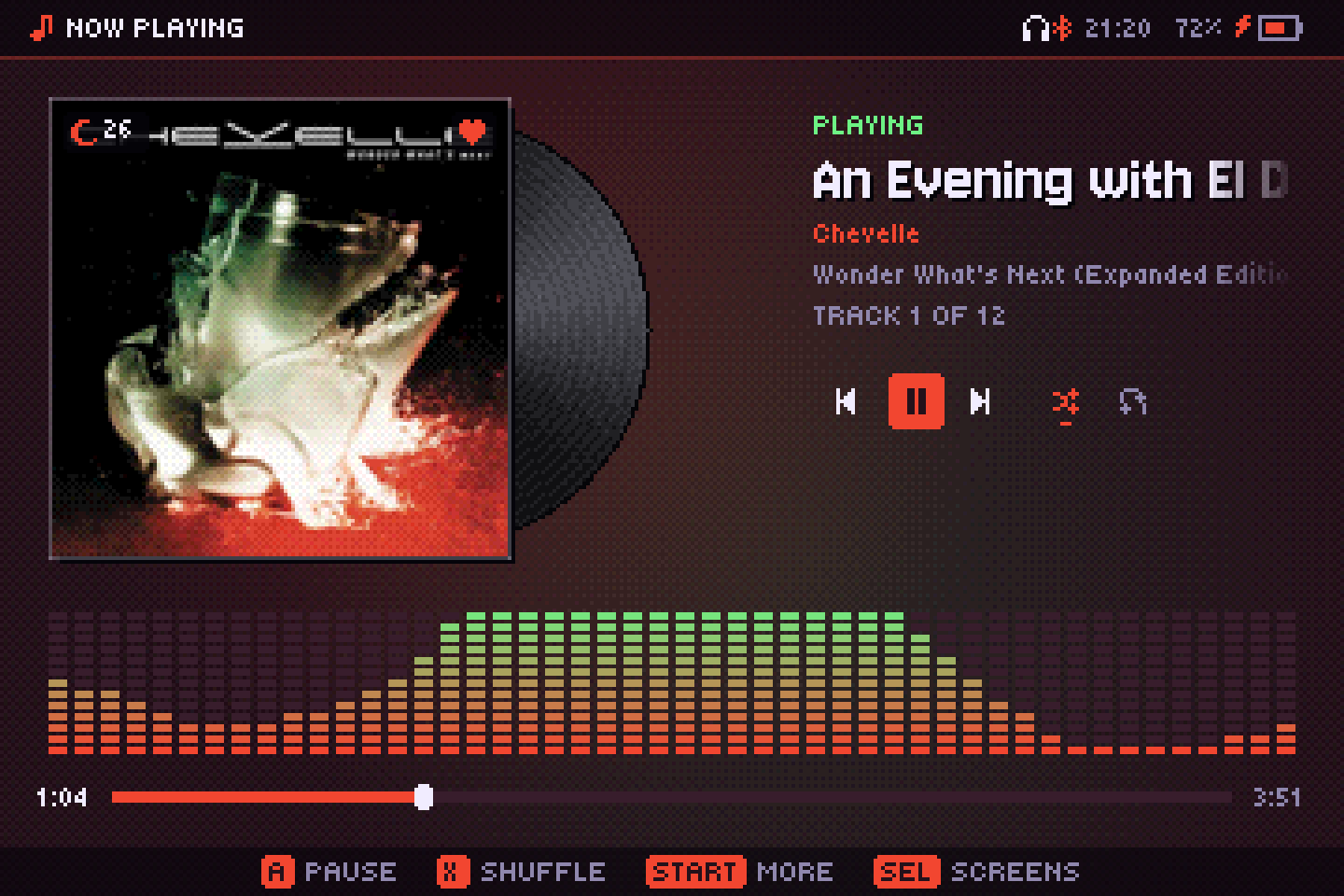
Now Playing
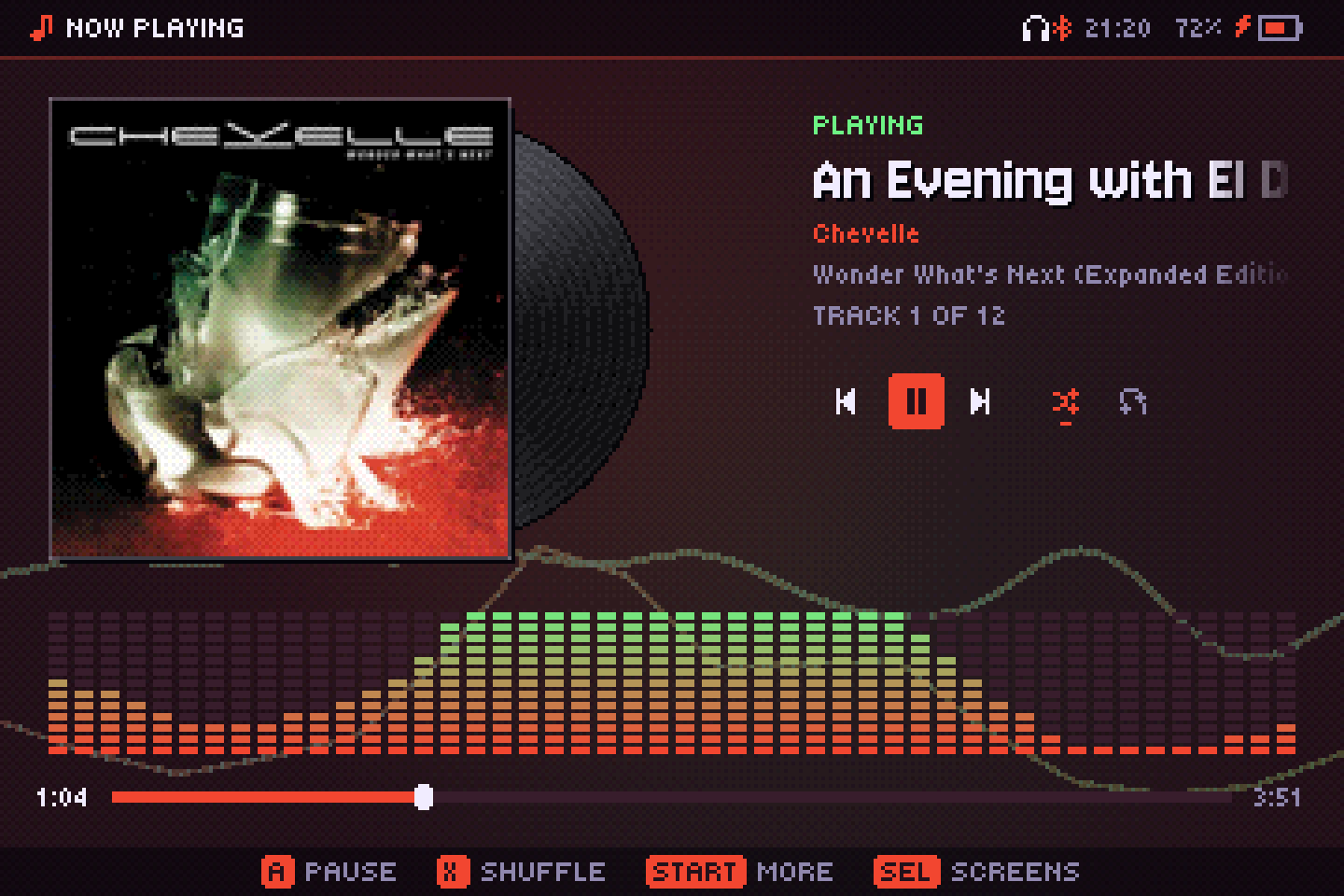
- A or Y pauses and resumes.
- Tap ←/→ for the previous or next song; hold them to rewind or fast-forward. L1/R1 also change song and L2/R2 seek 10 seconds.
- X turns shuffle on or off; X twice plays a random song.
- ↑/↓ scratch the vinyl.
- B goes to the library, START opens the More menu.
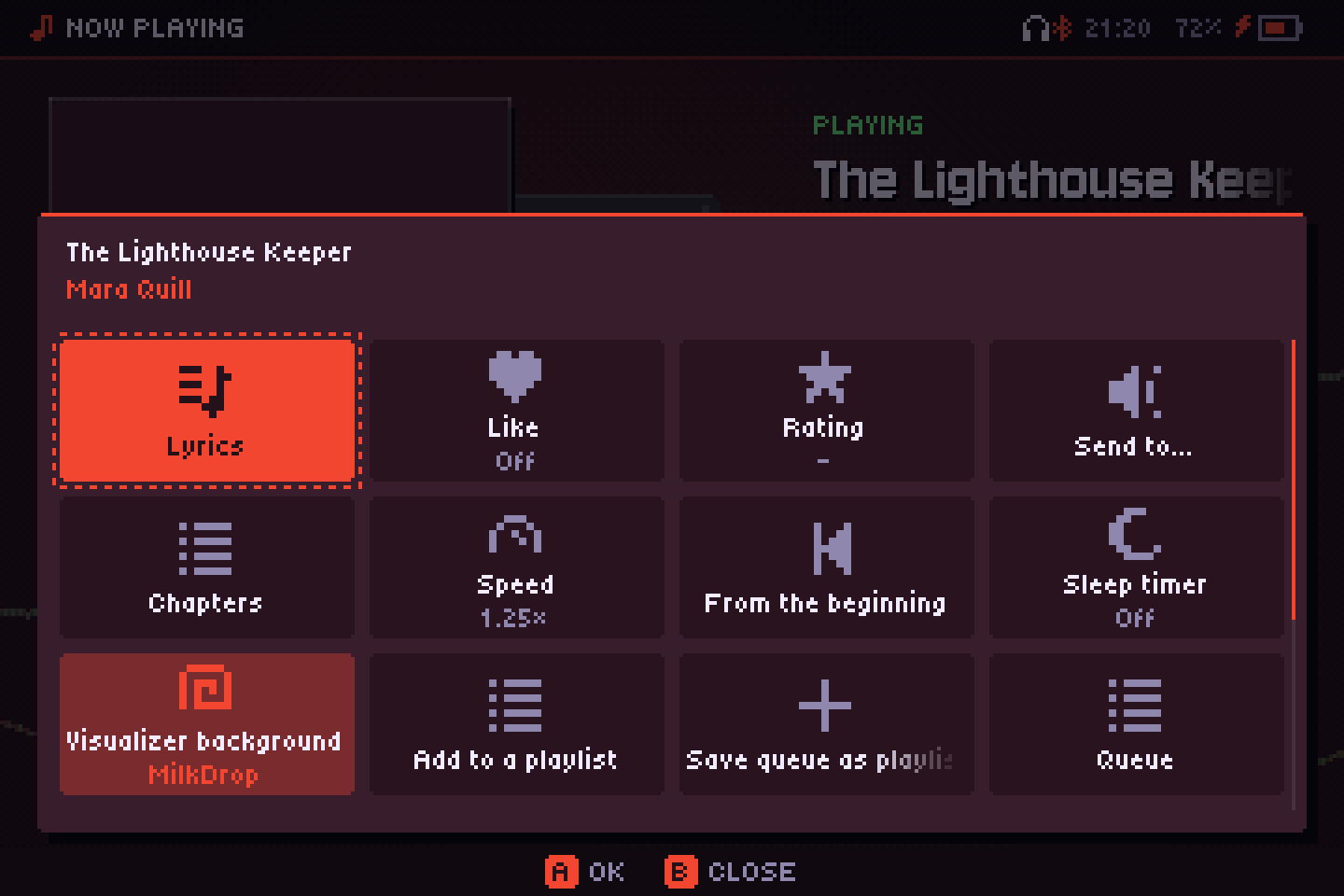
The More menu has the album and artist, Lyrics, Like, Rating, Sleep timer, Add to a playlist, Save queue as playlist, Queue, Shuffle, Repeat (Off, All, One), Turn the screen off, Go to background and Quit.
With a station or a podcast playing, B goes back to Radio or Podcasts instead of the library.
Visualizer background
More → Visualizer background puts the visualizer you last chose on the Visualizer screen behind Now Playing. It is dimmed and mixed under the theme background, so its pulses still show, and the cover, text and controls stay on top. It always uses the album's colors (MilkDrop too) and hides while lyrics are open. It is on by default, with MilkDrop; turn it off to save battery. Its value shows which visualizer it uses.
Audiobooks
A book is a .m4b file, anything whose genre is audiobook, or anything inside a folder named Audiobooks (also Audiolibros, Hörbücher and the like in other languages). A book split across several files is its folder, and each file is a chapter.
- It remembers where you were in each book (the file and the second), even if music plays in between. Play the book from the start and it picks up where you left off; pick a chapter yourself and it starts there. More → From the beginning starts over.
- Chapters inside
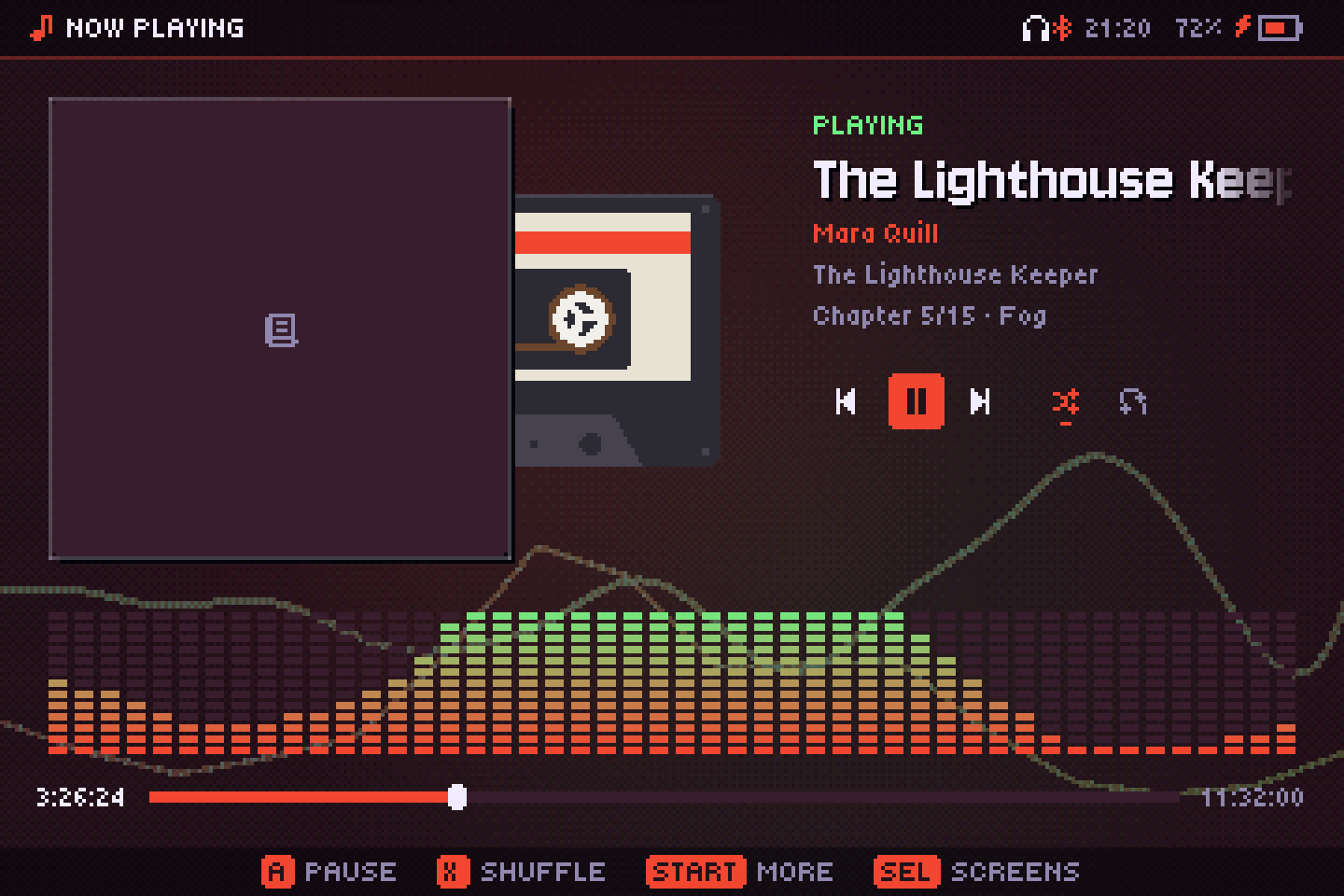
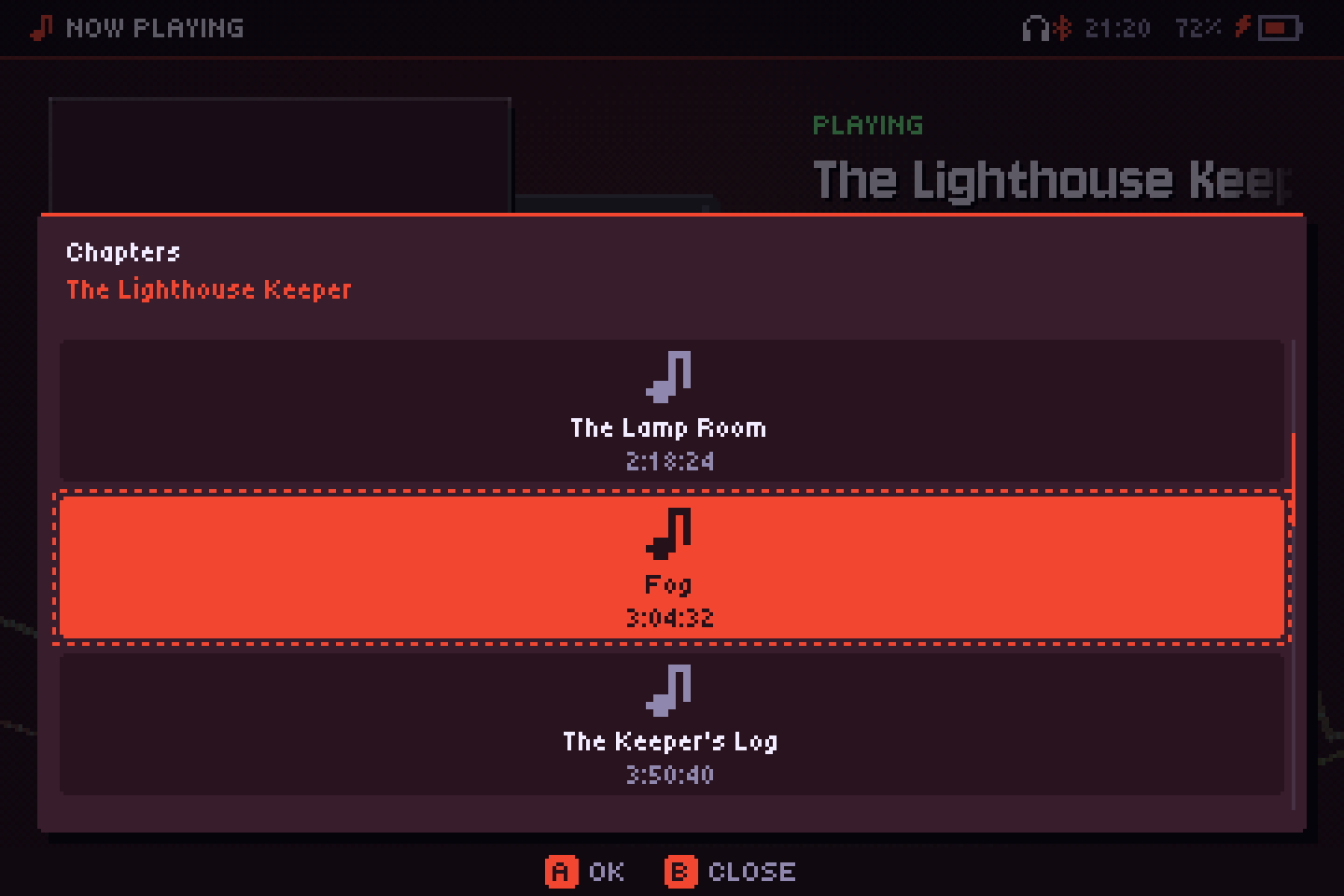
.m4band MP3 files show under the title (Chapter 3/12 · Title); More → Chapters lists them. Long times show as hours, like 1:02:05. - L1/R1 change chapter (or file), and a tap on ←/→ skips 30 seconds back or forward; holding them still seeks.
- More → Speed: 0.75× to 2× without changing the pitch. It applies to audiobooks and podcasts; music always plays at normal speed.
Audiobooks show a cassette instead of the spinning vinyl, and a little book when the book has no cover.
Alarm
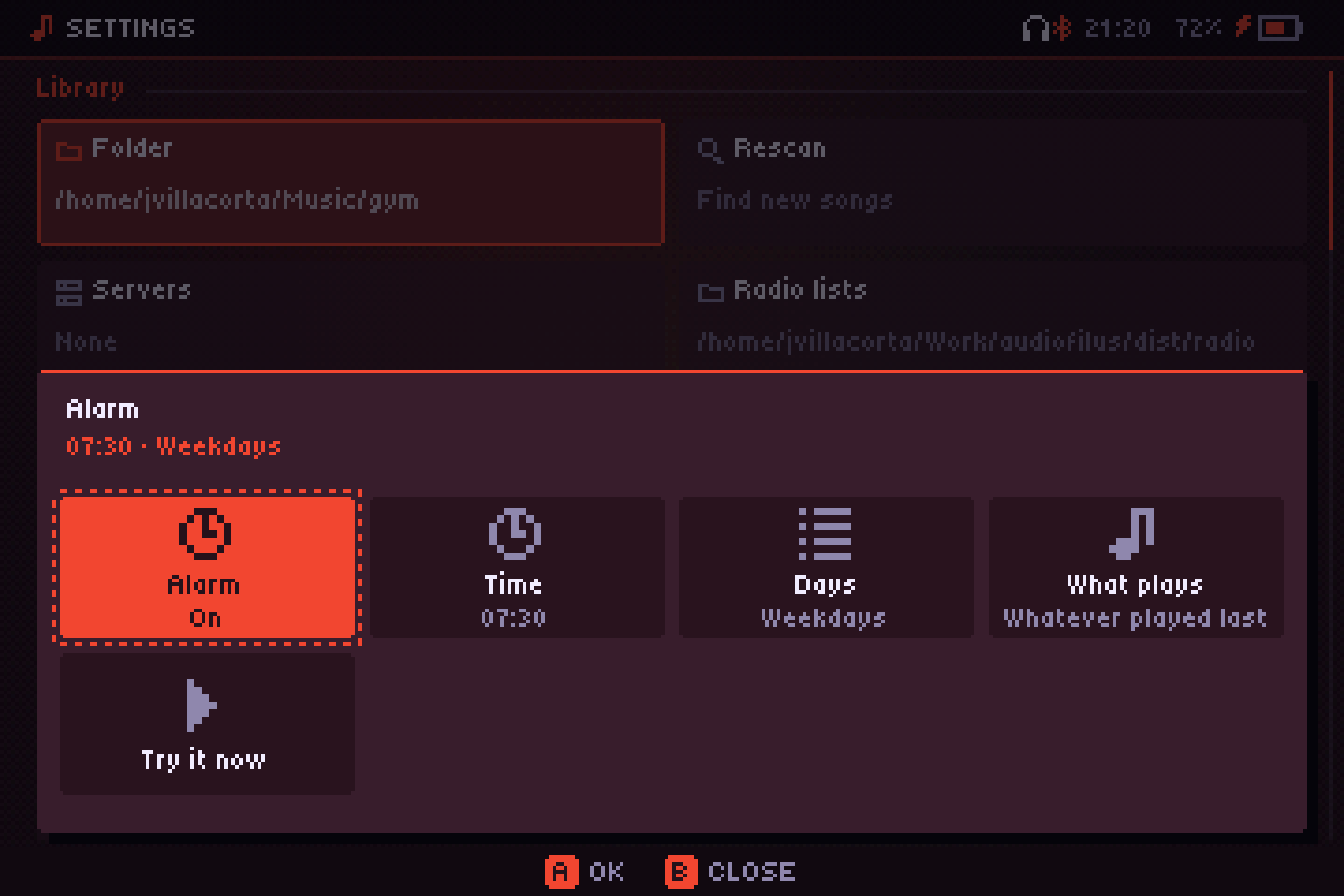
Settings → Alarm: the Time, the Days (Every day, Weekdays, Weekends or Once) and What plays (Whatever played last, a playlist or a favorite station). The volume rises over a minute. The service plays it, so it works with the player closed; whether it can also wake a sleeping console depends on the system (below). If the console wakes more than 10 minutes late, it doesn't ring. Try it now tests it.
When it rings:
- Always with the console awake: the app open (also in its sleep, with the screen off) or in the background. Never with the console turned off.
- Knulli: it also wakes a sleeping console, lid closed included (tested on an RG34XX-SP).
- ROCKNIX, ArkOS and dArkOS: it should wake a sleeping console too, but it isn't tested yet.
- muOS: it only wakes it if it has been asleep for less than muOS's automatic shutdown (10 minutes by default), or if that is set to never. With muOS's sleep-until-wake option it doesn't.
- EmuELEC: the console never sleeps, so it rings with the app in the background.
If the alarm has to wake the console, turn off the system's shutdown after sleep, or set it longer than the time until the alarm.
The queue
The Queue screen shows what plays next. Play next puts a song right after the current one; Add to queue puts it at the end. Playback is gapless, pausing fades out, and the queue and position survive restarts.
Sleep timer
Now Playing → More → Sleep timer. Each A moves to the next choice: 15, 30, 45, 60 or 90 minutes, End of song, or off. A moon with the minutes left shows on the cover. The service keeps the timer, so it works with the player closed.
Background play
The music lives in its own service; the player is just a remote. How it closes decides what happens to the music:
- Go to background (More menu, or Settings → Exit): the player closes and the music keeps playing, also inside games. The console suspends as usual.
- Quit: stops everything.
- Closing it any other way (closing the window, PortMaster's SELECT+START, or a crash) depends on Settings → Keep playing on close: on by default on the desktop, off on handhelds.
Controls from inside a game
Press FN three times in a row, then within 1.5 seconds:
| Then | Does |
|---|---|
| L1 / R1 | Previous / next song |
| L2 / R2 | Rewind / forward 10 s |
| SELECT | Pause / resume |
It works always, with the player open or closed, and doesn't clash with the system or the emulators.
Sleep: screen off, music on
Sleep turns the screen off and lowers the CPU clock while the music plays, so the console can ride in your pocket. Enter it with START twice, the power button, closing the lid, Now Playing → More → Turn the screen off, or after a while without touching anything (Settings → Sleep after). While asleep, the triggers become gestures:
| Gesture | Does |
|---|---|
| L1/R1 twice | Previous / next song |
| L2/R2 twice | Rewind / forward 10 s |
| L1+L2 together, twice | Pause / resume |
| R1+R2 together, twice | A random song |
| START or the power button | Wake up (the power button not with the lid closed) |
A single tap does nothing, so pocket presses don't count. On devices with a vibration motor, each gesture gives a short buzz. On an RG34XX-SP sleep draws about 260 mA: around 11 to 12 hours of music.
On desktops, sleep and its settings don't apply and are hidden.
With an external display connected (HDMI), closing the lid doesn't turn the screen off, so you can play with a controller and the lid shut.
Headphone buttons
Bluetooth and wired headphone buttons control the music with the player open or closed. A single-button headset follows the usual convention: one press pauses, two skip to the next song, three go back.
Unplugging wired headphones pauses the music, also with the player closed, so it doesn't suddenly play through the speaker.
Opening files from your file manager
Files and folders you open with Audiofilus play as a temporary queue: folders are expanded with everything inside, and nothing is saved as a playlist (use Save queue as playlist to keep it). If the player is already open, it just switches to the new queue.
- Linux: right-click → Open with → Audiofilus, for audio files, M3U/PLS lists, CUE sheets, console music and folders (set up by the installer or
audiofilus desktop install). - Windows: Audiofilus registers itself the first time it opens: Open with on every supported file, and Play with Audiofilus on folders. Selecting several files queues them all.
- iPhone and iPad: “Open in” or “Share” from Files and other apps.
On the desktop
- Media keys and bars: on Linux Audiofilus speaks MPRIS, so media keys and your desktop's media widget control it.
- System tray (Linux and Windows): click to open the player, middle-click to pause, and a menu with what's playing, play/pause, next, previous, shuffle and quit.