
Settings
Every tile in Settings, section by section.
Settings are tiles: a switch changes with A; a choice opens with A, then ←/→ pick (it applies at once) and A or B close it. They're saved in audiofilus.json.
Library
- Folder: your music folder. Rescan: find new songs. Servers: Subsonic, Navidrome, Jellyfin. Radio lists and MilkDrop presets: the folders for your own station lists and MilkDrop presets, picked with the same folder browser (by default,
radioandmilkdropnext to the app). Not on iPhone.
Playback
- Shuffle, Repeat (Off, All, One), Volume (0 to 200 %), Crossfade (Off to 12 s).
- Alarm: see Alarm.
Sound
- ReplayGain, Equalizer (graphic or parametric), Output rate, Resampling (Auto, Battery, Quality): see Sound.
- Crossfeed (Off, Light, Medium, Strong): see Crossfeed.
Online
- Scrobbling: Last.fm and ListenBrainz. Lyrics from the web: look lyrics up on LRCLIB.
- Share library (DLNA) and Receive music (DLNA): see Network. Off by default.
Screen
- Sleep after: Never, 15 s, 30 s, 1, 2 or 5 minutes without touching anything. While music plays it only counts on Now Playing.
- Sleep mode: Backlight turns the backlight off; OLED (black) just paints the screen black, which on an OLED screen means the pixels are off.
- 24 h clock.
- Color: Album (each album's colors, the default) or a fixed color to match your console: Red, Orange, Yellow, Green, Ice blue, Blue, Purple, Pink, Pearl pink, White, Platinum, Graphite, Black. On Omarchy there is also System: the colors of the current Omarchy theme, which follow it when you change themes. On Omarchy it is the default, and light themes look light too.
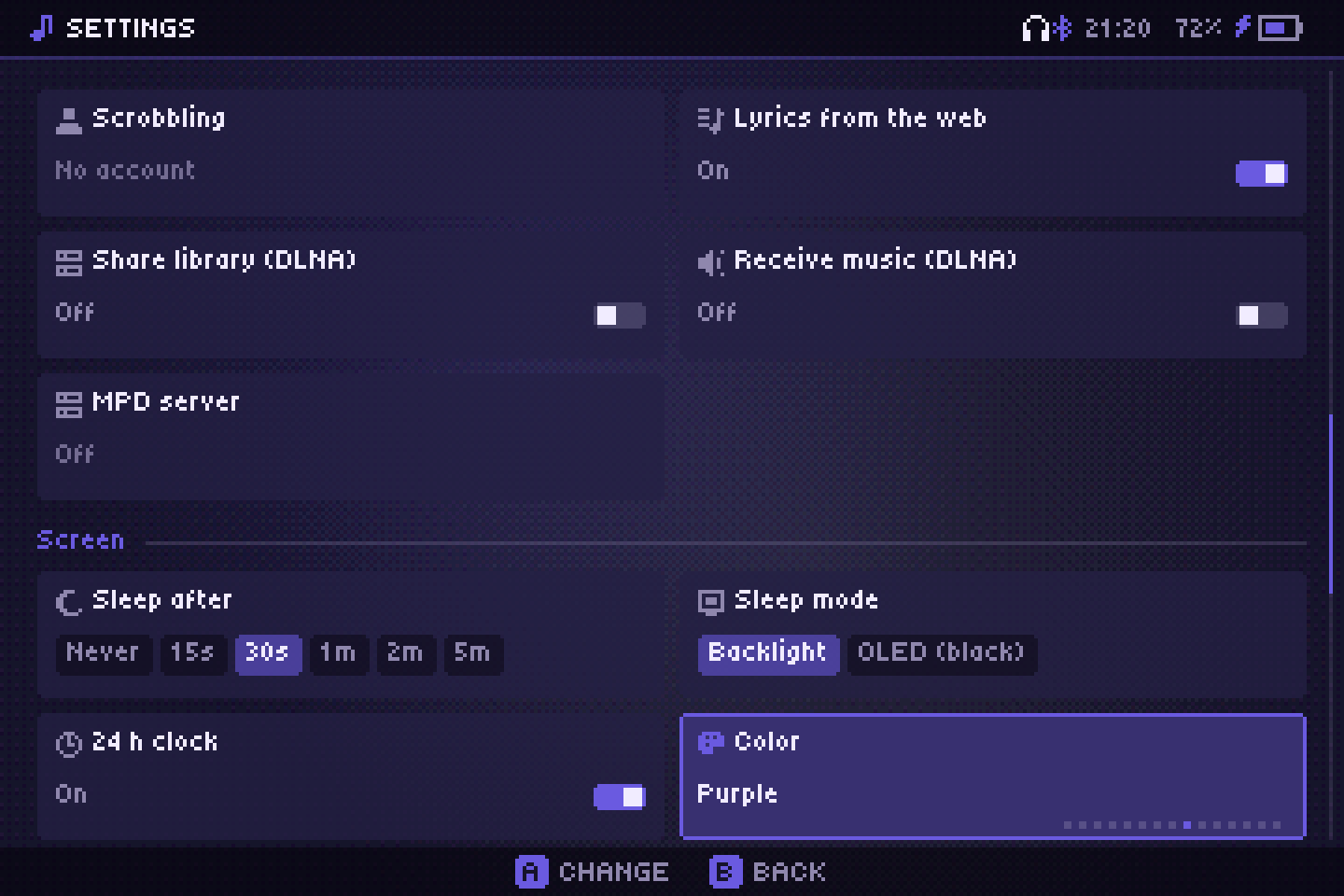
Sleep settings only show on handhelds.
System
- Language: English, Español, Português, Français, Italiano, Deutsch, Polski, Türkçe, Русский, Indonesia, 日本語, 中文, 한국어.
- Music sounds and Interface sounds: Off, Low, Medium or High, for the chiptune sounds of music actions and of menus.
- Swap A/B and X/Y.
About
- Update: shows the version. Once a day the app checks the latest release and tells you when there is a new one; press A here to install it. It downloads the package for your install (PortMaster, muOS, Linux or Windows), checks it, swaps the files and restarts, keeping your settings and data. From a terminal:
audiofilus update. - GitHub and Buy me a coffee show a QR code.
Exit
- Keep playing on close: whether the music keeps going when the player closes without Quit. On by default on the desktop, off on handhelds.
- Go to background: close the player, keep the music. Quit: stop everything.
On iPhone, Output rate, Keep playing on close and Go to background don't show: the music already keeps going when you leave the app.